 AI-Ready GTM
Leave an AI agent on your website chat while your team is away
It answers buyers from your own pages and passes the rest to your inbox. Set it up before the break.
In partnership with

Happy Friday.
From late December into early January, a buyer who visits your pricing page and asks a question in the chat widget usually meets an away message or silence. Today's cheat code puts an AI agent on that chat for the hours your team is away: it answers what your own pages already answer and escalates everything else to your inbox, so the question is waiting for a rep rather than lost.
Get cited by AI. Get more inbound leads.
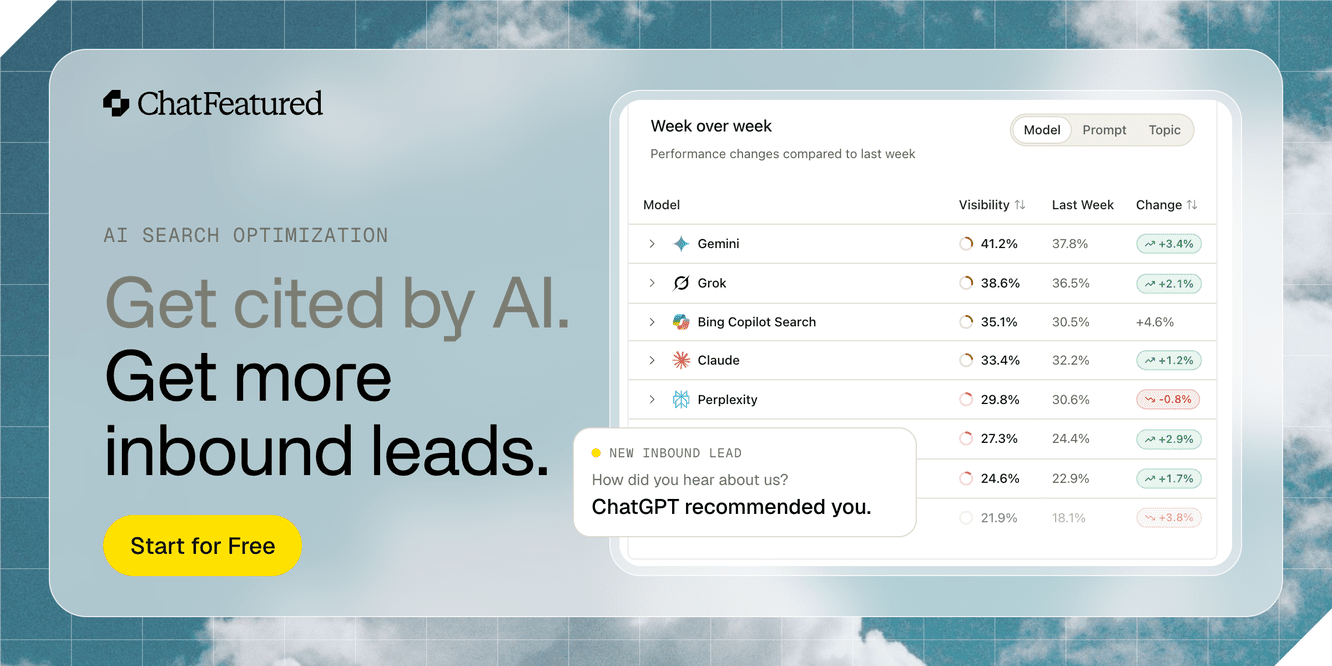
"How did you hear about us?" More and more, the answer is ChatGPT.
Buyers ask AI who to hire and what to use, then contact the companies it names. A carpet dyeing company landed a large commercial customer that found it through ChatGPT. It's a client of Impact IQ Marketing, an agency that uses ChatFeatured.
ChatFeatured gets you cited:
See where AI recommends you, engine by engine, and where it leaves you out.
Get the content that earns the citation written and published for you.
Track the AI traffic and conversions it brings.
Bob's Your Uncle went from invisible to first in ChatGPT, with AI visibility up from 7% to 22% in 90 days.
The cheat code: an after-hours answer desk on your site chat
What it is. An AI chat agent trained only on your website and a list of answered questions, set to start only when your team is unavailable. When it doesn't have an answer, it hands the conversation to your main inbox, so every after-hours question becomes a named conversation for January rather than a lost visit.
How Crisp sets it up. Crisp, which sells website chat, documents the exact settings in its help center: its AI agent, Hugo, can be told your office hours and set to start only when your support is unavailable, and it escalates conversations to your main inbox when a person is needed. Crisp sells the subscription, so the setup reflects its product; the method works with any chat tool that offers the same two settings.
The steps
Mine your pre-sale questions. Paste your last 20 sales emails or call notes into ChatGPT or Claude with the prompt under Steal this, and get back the 15 questions buyers ask most, with the answers your team gave.
Give the agent only your own material. In Crisp, open AI Agent, then Train. Import your website, with a filter so Hugo reads only your product, pricing, and FAQ pages, and add the 15 answers as Questions & Answers snippets. Crisp's help page says snippets are "essentially Hugo's private FAQ"—facts only, with tone and rules kept for Instructions.
Write one instruction. Under Guidance → Instructions, tell Hugo never to quote a price or a discount that isn't on your pricing page, and to escalate any question about contracts or custom terms.
Test it in the Playground. Under Evaluate → Playground, ask the ten hardest questions, including one about a discount. A wrong or invented answer usually means a page is missing; add it before the agent goes live.
Set it to after hours only, then switch it on. In Agent → Settings, configure your office hours so Hugo starts only when your support is unavailable, keep the default escalation rules on, and enable it under Agent → Activation.
Tools and cost. Crisp's free plan includes the chat widget and two seats but no AI agent. Mini, at $45 a month per workspace, adds the AI agent with about 90 automated conversations and $5 of AI credits a month; Essentials, at $95, raises that to about 450 conversations and adds the no-code chatbot builder. Every plan can be tried free for 14 days, by Crisp's page.
What to expect. Fewer unanswered chats over the break, and a short list of escalated conversations to work in January. Crisp publishes no figure for how many questions Hugo resolves, and nobody has measured this as a sales play. The number that matters is how many after-hours conversations came from a real buyer; Hugo's Topics and Analytics show what visitors asked and how it handled them, which doubles as a list of what your website fails to explain.
Steal this
Here are our last 20 sales emails and call notes: [PASTE]. List the 15 questions prospects asked most before buying, grouped as pricing, security, implementation and contract. For each, write the answer our team gave in two sentences, and mark NEEDS REVIEW where we gave different answers to different people.Tool Review → Crisp
Crisp is a shared inbox for website chat, email, and messaging channels, with an AI agent, Hugo, that answers from your own website, files, and question lists and escalates to people when it can't. Pricing is a flat rate per workspace rather than per seat: free with two seats and no AI; Mini at $45 a month with four seats and the AI agent; Essentials at $95 with ten seats; and Plus at $295 with 20 seats or more. Yearly billing can be switched on in the app.
For a sales team, the value is coverage of the hours nobody is watching, at a price that doesn't grow with every rep added to the inbox. The catch is that the AI agent is metered: Mini's $5 of AI credits covers about 90 automated conversations a month, by Crisp's estimate, and the chatbot builder that collects details or books demos only arrives on Essentials.
Worth it if buyers ask real questions on your site and your chat goes dark at night. Skip it if your site gets a handful of chats a month, where the free plan's contact form is enough.
Tool Hack: make "away" follow your real hours
Crisp's availability setting decides whether visitors see your team as online or away, and it can follow each rep's working hours rather than whether the app happens to be open.
Each rep opens Settings from the bottom-left corner, then Settings → Account → Availability.
Toggle Enable availability schedule and set the online days and hours in 24-hour time, for example 09:00 to 18:00.
Mark the break. Outside the schedule Crisp shows a rep as offline, so the days your team is out need no online hours; Crisp also offers Force offline, which keeps an account offline even with the app open.
Check that Invisible mode is off, because Crisp says it must be disabled before the schedule can work.
Crisp saves the schedule automatically. Do it for every rep before the break, then test from a private browser window after hours to confirm Hugo answers.
That's the week. Which question do buyers ask your website that it can't answer yet?